

Screenshots show the Adjust dashboard as it looked when this guide was written. Adjust moves
things around from time to time; the setting names are the reliable part, not the exact
position on screen.Click any screenshot to enlarge it.
Grant Almedia access
Add access to the email address[email protected].
Activate “Apps with data sharing”
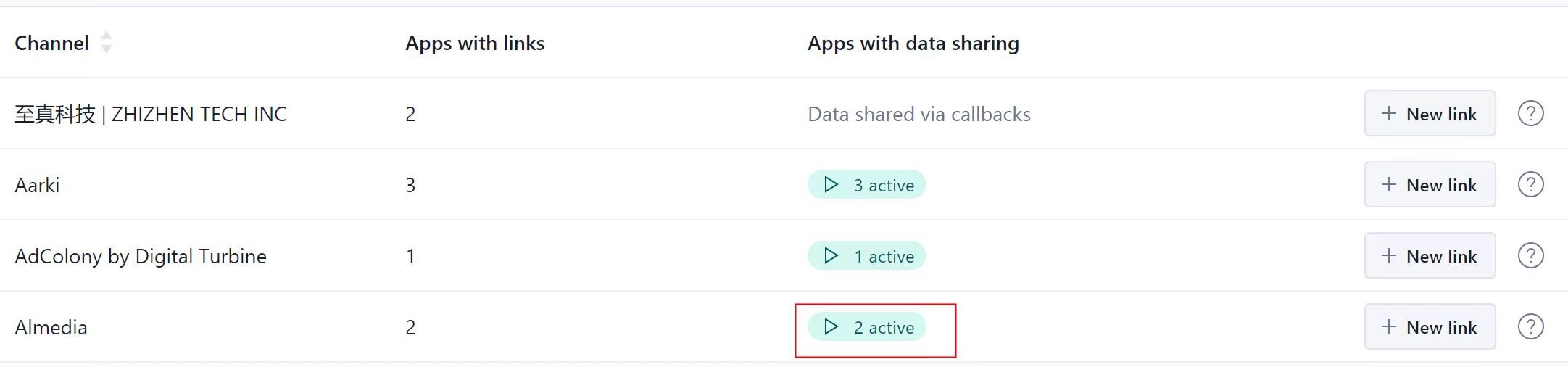
Adjust → Partners. Almedia should show as active under Apps with data sharing.
Set your data sharing options
Edit setups:- Check “Data from all attribution sources (recommended)”.
- Please share “Ad revenue”, “Sessions” and “In-app revenue (from in-app purchases)”.
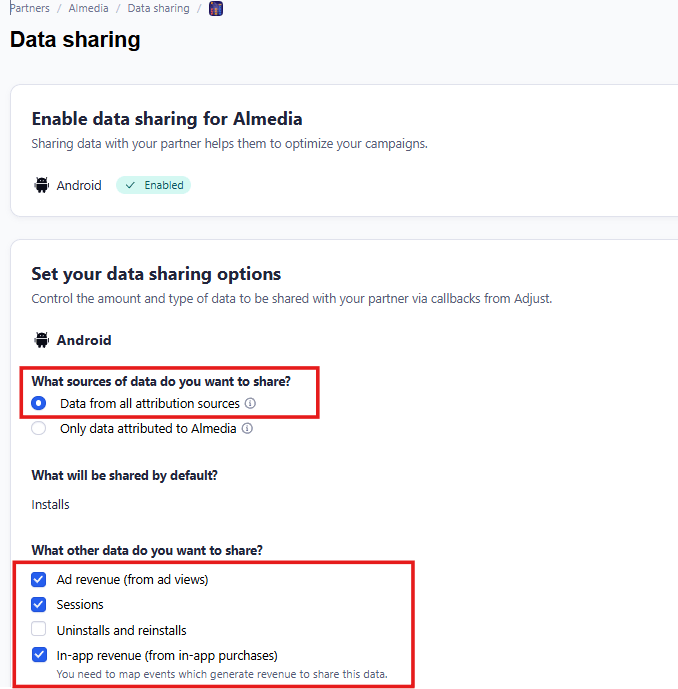
Adjust → Partners → Almedia → Data sharing.
Map your events
Add events including “Purchase” to the “Data Sharing” page, and send a screenshot back to Almedia.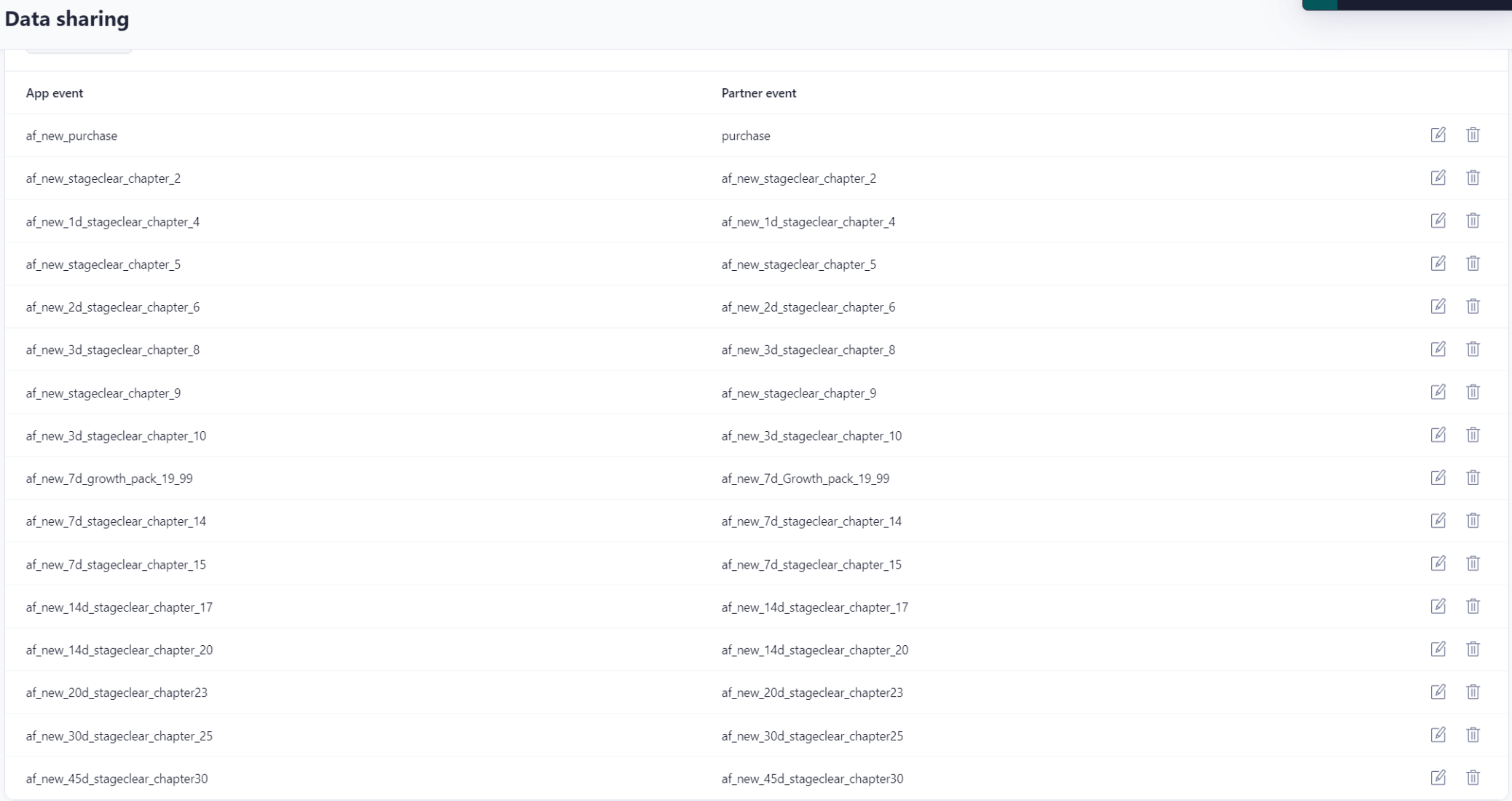
The app event to partner event mapping on the Data sharing page.
Enable probabilistic modeling
Please enable probabilistic modeling in Attribution settings.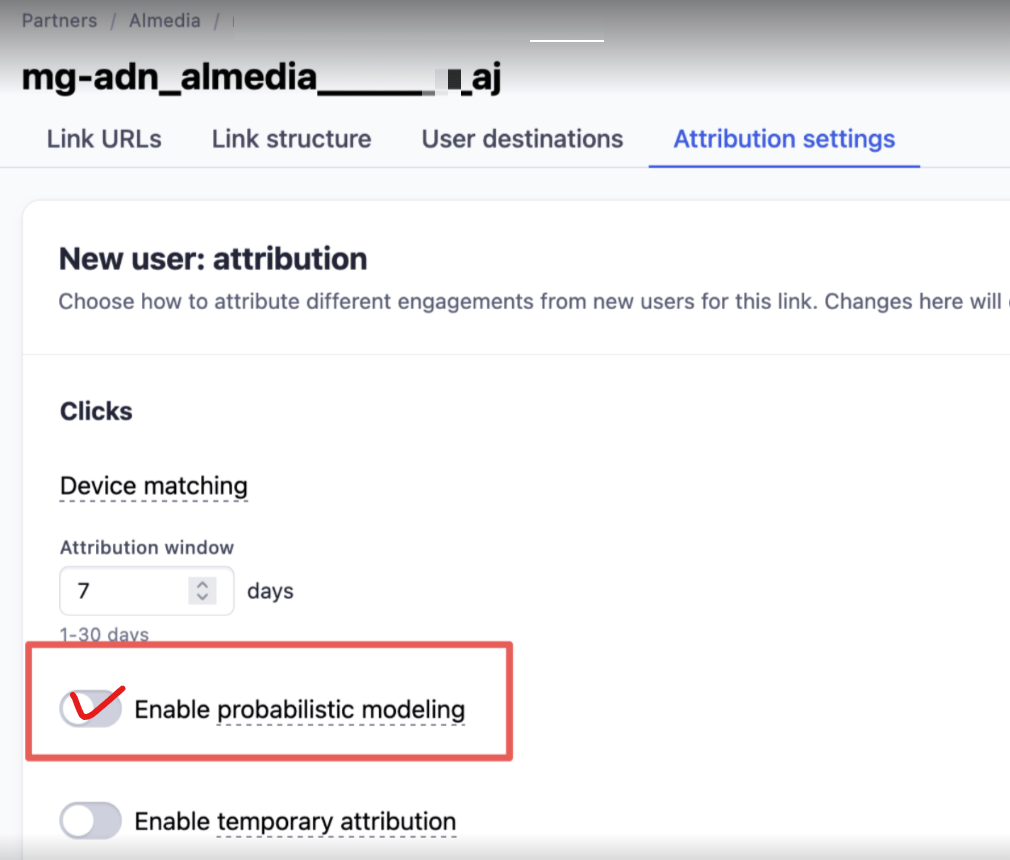
Adjust → Attribution settings → Clicks → Device matching.
Set up S2S Security
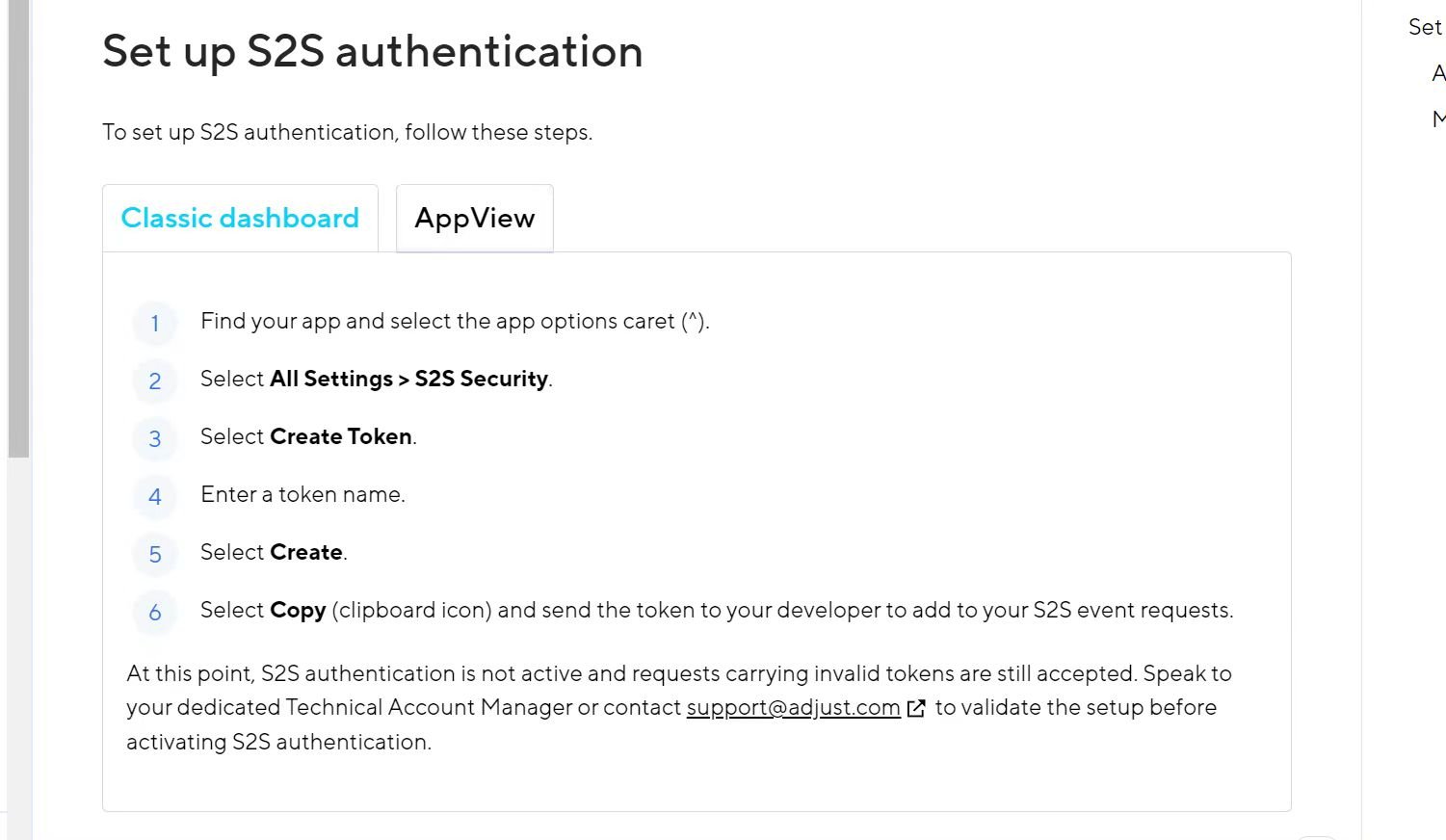
Adjust's own instructions for creating an S2S authentication token.
Activate S2S authentication
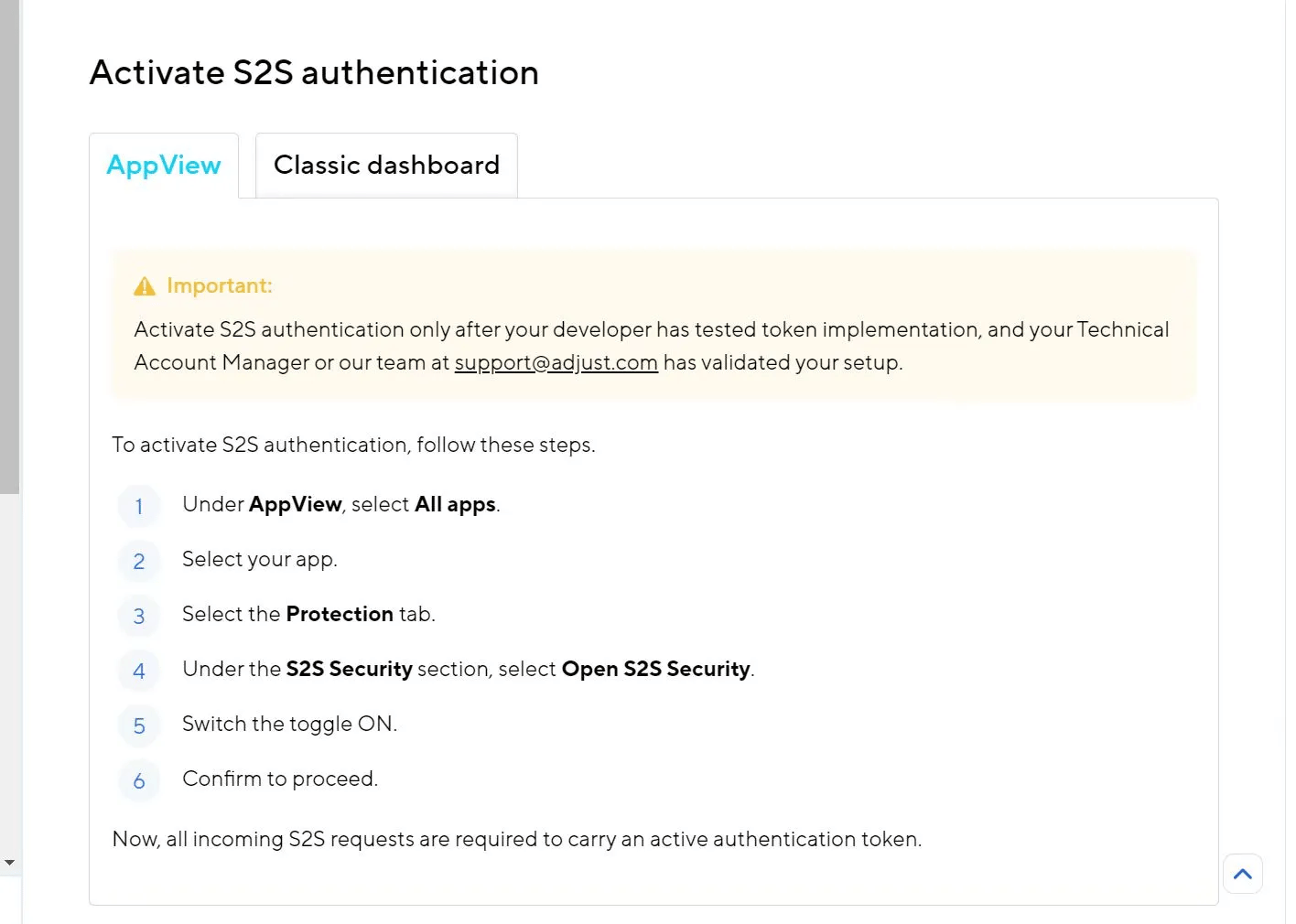
Adjust's own instructions for switching S2S authentication on.
Adjust documentation
Adjust’s own documentation, for anything specific to their platform.