

Screenshots show the AppsFlyer dashboard as it looked when this guide was written. AppsFlyer
moves things around from time to time; the setting names are the reliable part, not the exact
position on screen.Click any screenshot to enlarge it.
Add Almedia as a partner
Search for “Almedia GmbH”.
Almedia GmbH in the AppsFlyer partner directory.
Grant Almedia access
Grant access to your POC’s@almedia.co email address.
Open the integration
Go to Collaborate → Active Integrations → Integration.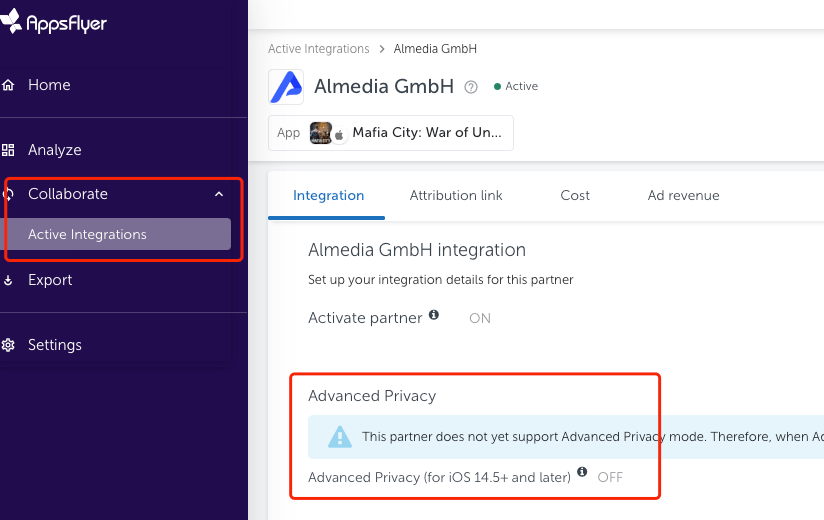
AppsFlyer → Collaborate → Active Integrations → Almedia GmbH → Integration.
Set the in-app event postback window
Set up the “In-app event postback window” as180 days.
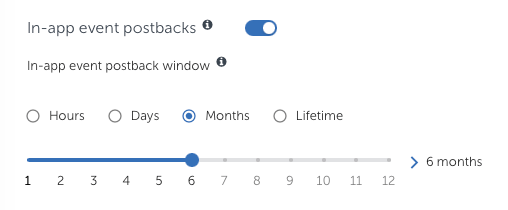
The in-app event postback window, set to 6 months.
Turn on ad revenue and install postbacks
- Activate “Access ad revenue raw data”.
- Enable the
installpostback from “all media sources, including organic”.
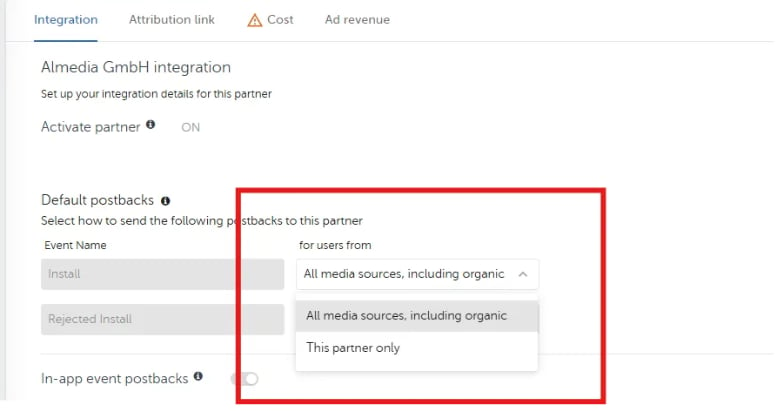
Default postbacks — set Install to all media sources, including organic.
Enable the events
Please enable the following standard events, and other events that you would like to share with us:Standard events
Cost reporting
We support the following two options:- AppsFlyer Cost API (ROI360) — please reach out to your AppsFlyer manager to confirm availability and enable this integration.
- Direct Cost API integration to your BI — if you prefer this option, please let us know so we can send you Cost API documentation, along with your API ID and Key.
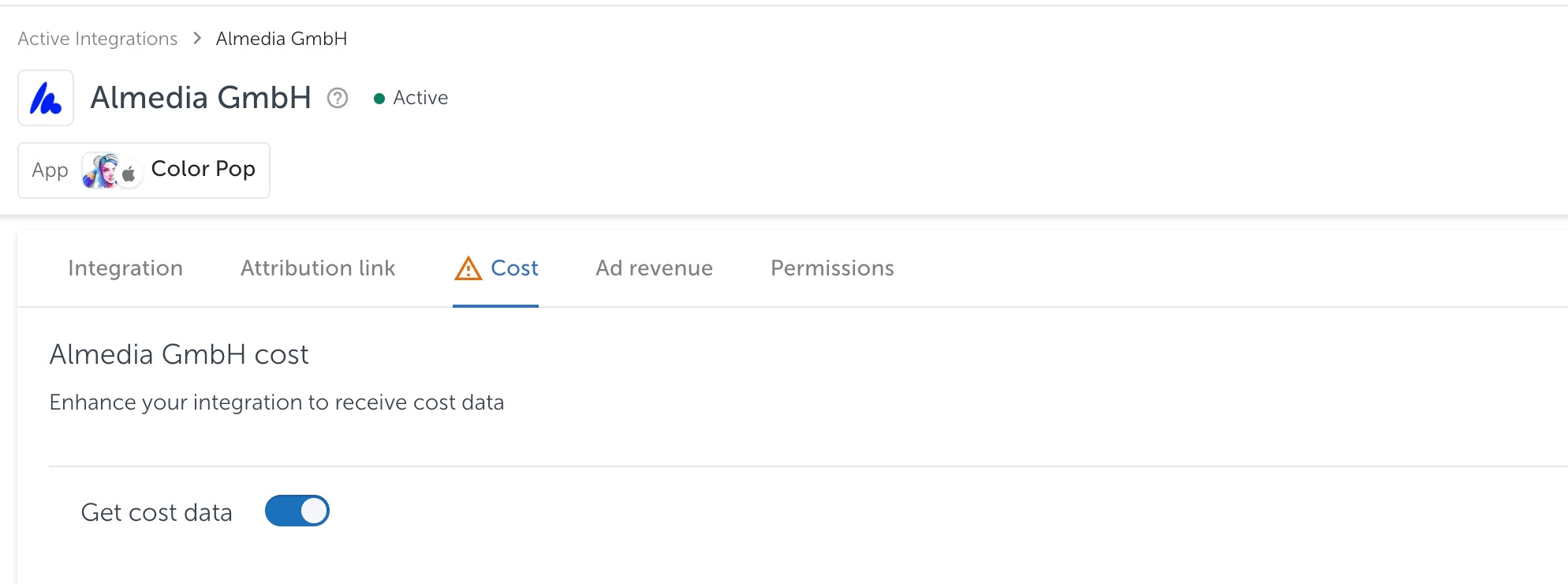
AppsFlyer → Almedia GmbH → Cost.
AppsFlyer documentation
AppsFlyer’s own documentation, for anything specific to their platform.