

Screenshots show the Tenjin dashboard as it looked when this guide was written. Tenjin moves things around from time to time; the setting names are the reliable part, not the exact position on screen.Click any screenshot to enlarge it.
Every setting here has a reason. The
FAQ
explains how each one helps reward your players.
Step 1: Add Almedia as a channel
Go to CONFIGURE → Channels and click Add a Channel. Select Almedia, name the account, enter the API key your account manager sent you, and click Add Ad Account.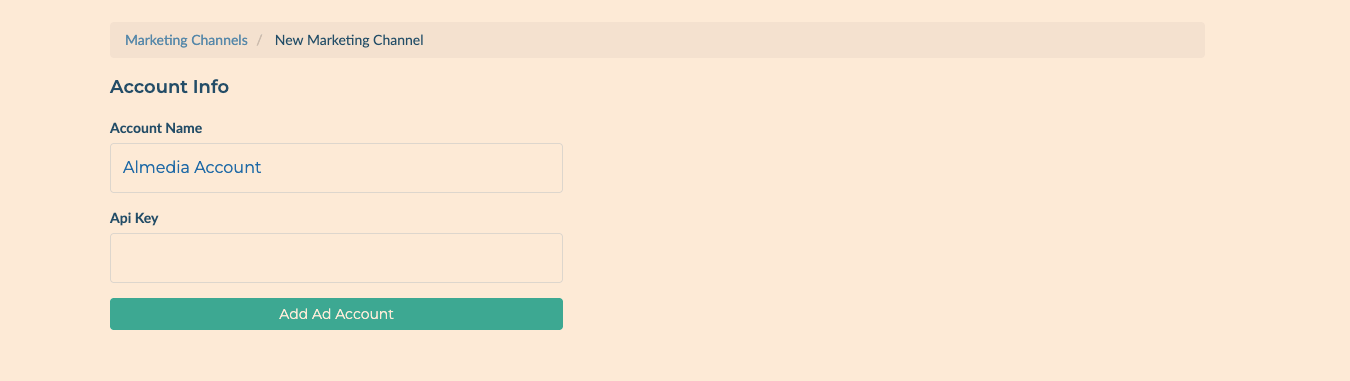
Step 2: Open your app’s Callbacks
Go to CONFIGURE → Apps, click your game and open the Callbacks tab. In the Channels and Partners dropdown, choose Almedia. Almedia needs nothing under Settings — Tenjin shows “No settings needed for this channel”, which is expected.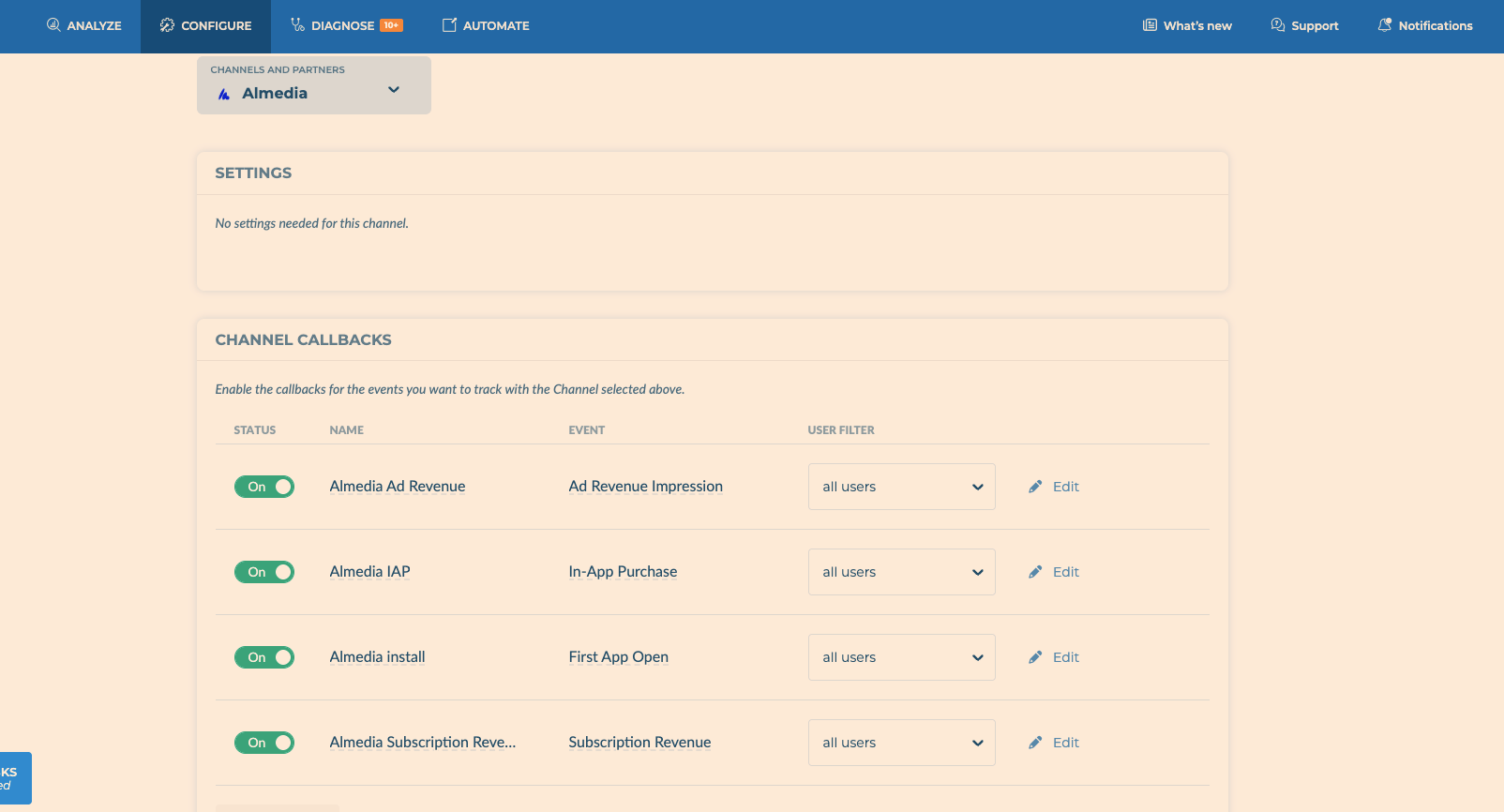
Step 3: Turn on the callbacks for all users
Turn on the callbacks for Install, App open, Purchase (include it even if your game has few purchases) and Ad revenue. For each one, set User Filter to all users.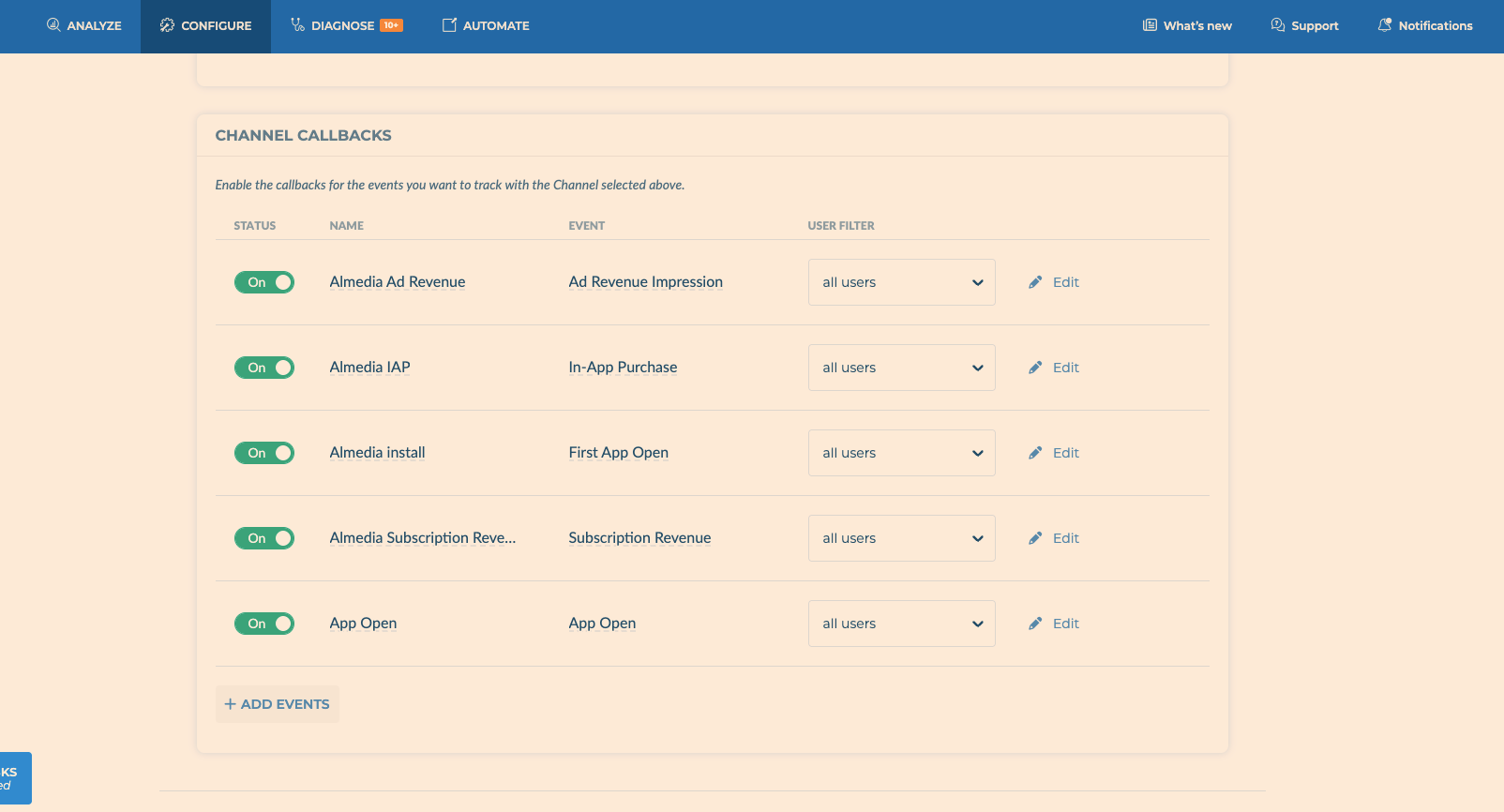
Before you finish
- Check your own Tenjin dashboard shows installs, app opens and ad revenue. If ad revenue is missing there, make sure your Tenjin SDK supports ad revenue (ILRD) and your ad mediation (for example AppLovin MAX, LevelPlay or AdMob) is connected, or it can’t reach us.
- In the Callbacks tab, open Callback Health and check the Almedia callbacks show no errors.
- Send your account manager a screenshot of the Callbacks page for each platform.
Optional: receive Link and Earn Tab revenue in Tenjin
This isn’t available directly in Tenjin yet. Until it is, we can send your Link and Earn Tab revenue to your own server. Ask your account manager.Tenjin documentation
Tenjin’s own documentation, for anything specific to their platform.